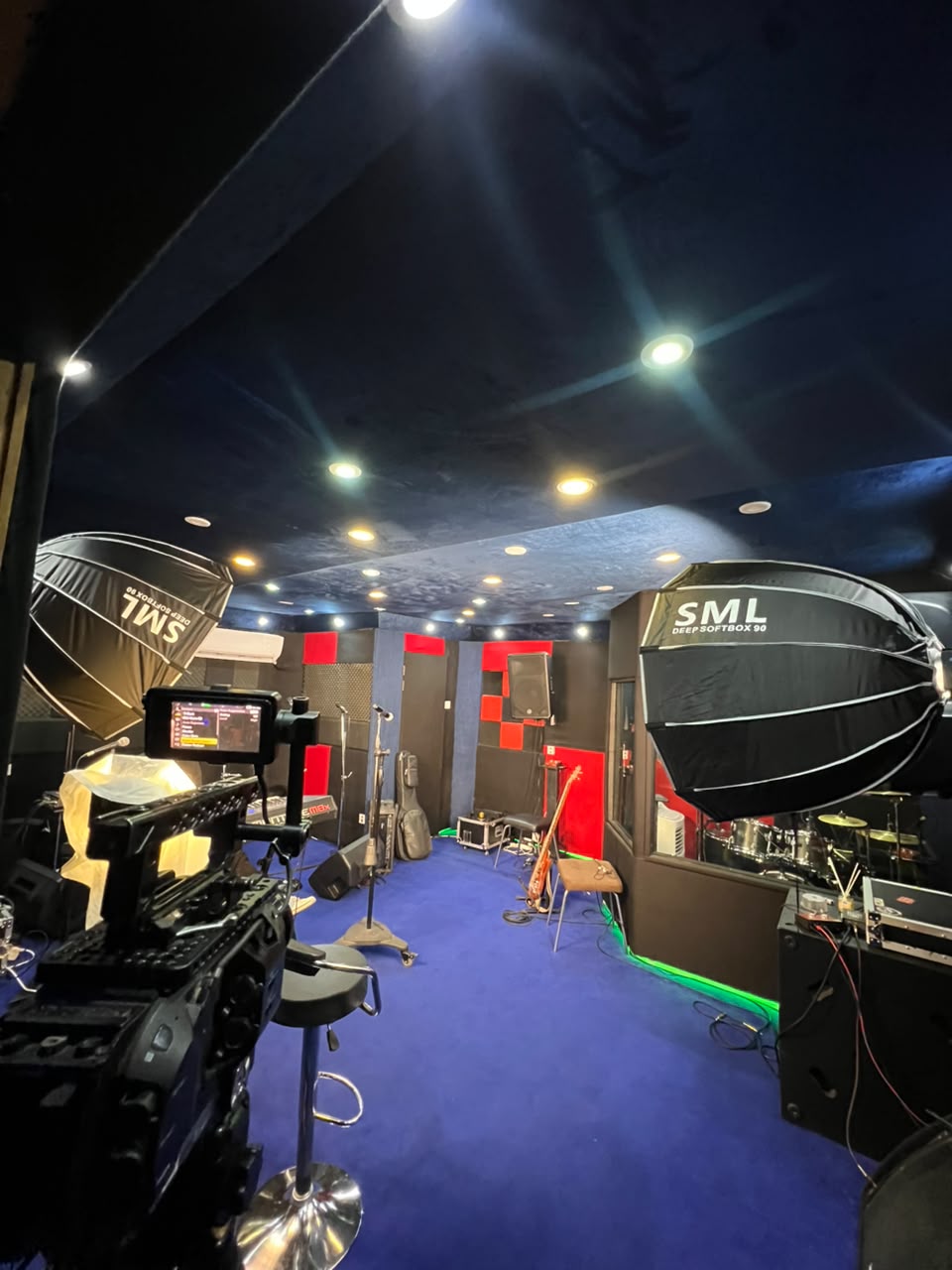
What Makes a Vocal Recording Sound Professional?

What Makes a Vocal Recording Sound Professional?
A professional-sounding vocal depends on a strong performance, a clean recording, appropriate microphone technique and a balanced mix. Expensive equipment alone cannot guarantee a great result; how a voice is performed, captured and blended with the instrumental matters just as much.
When a vocal sounds clear on its own but loses definition once the beat comes in, the issue may be related to the recording, the arrangement or the mix. Understanding these differences helps artists make better decisions throughout music production.
1. Start With a Strong Vocal Performance
The foundation of a professional vocal recording is a convincing, consistent performance. Pitch, timing, breath control, pronunciation and emotional delivery all influence the final result.
Before recording, practice difficult sections, become familiar with the lyrics and make sure the song's key is comfortable for your voice. Fatigue or repeatedly struggling with certain notes can make it harder to maintain consistent delivery.
Consistency matters between takes, too. Changes in vocal intensity, pronunciation or microphone distance can make different sections sound disconnected when they are edited together.
A technically clean recording cannot replace the emotion and expression of a strong performance. The goal is to capture a vocal that communicates the song effectively while giving the production a solid foundation.
2. Choose a Suitable Recording Environment
The recording environment affects what the microphone captures alongside the voice. Background noise, unwanted room reflections and outside interference can all reduce clarity.
In a room with strong reflections, sound bounces off nearby surfaces and reaches the microphone alongside the direct vocal. This can make the recording sound hollow or distant. Noise from fans, air conditioners, traffic or nearby activity may also become noticeable, particularly during quieter passages.
For home recording, choose a quiet room, minimize unnecessary noise and avoid recording close to highly reflective surfaces. Soft furnishings may reduce some reflections, but they are not a substitute for appropriate acoustic treatment.
A suitable recording space makes it easier to capture a clean vocal from the beginning. Although mixing can improve many aspects of a recording, it cannot reliably remove every unwanted sound or repair every acoustic problem.
3. Get Microphone Placement and Recording Levels Right
Once the environment is suitable, microphone placement and recording levels help determine how accurately the performance is captured.
Microphone placement affects tone and clarity. Standing too far from the microphone can introduce more room sound. With some microphones, getting too close can exaggerate low frequencies. Strong bursts of air from sounds such as “p” and “b” can also create distracting pops, which a pop filter helps control.
Maintaining a reasonably consistent distance helps keep the vocal tone more even. The ideal position depends on the microphone, the vocalist and the sound being recorded, so there is no single distance that works for every situation.
Recording levels affect the cleanliness of the signal. The input should be strong enough to capture the performance clearly without clipping. Clipping occurs when the signal exceeds the available digital level and creates distortion. Turning down the volume afterwards does not undo that distortion.
Leave sufficient headroom to accommodate natural changes in vocal intensity, particularly when moving from a quiet verse to a powerful chorus. A clean recording gives the mixing engineer greater flexibility later.
For additional guidance, see Shure's guide to recording and mixing vocals.
4. Identify Vocal Problems Before Adding Effects
When a vocal does not sound right, identify the likely cause before applying processing. Different problems require different solutions, and using effects without understanding the issue can make the result harder to control.
- Muffled vocals: Check whether the original recording lacks clarity or whether the voice becomes unclear only when the instrumental plays.
- Harsh vocals: Listen for excessive brightness, sharp sibilance or distortion.
- Distant vocals: Consider whether microphone placement or room reflections contributed to the sound.
- Uneven vocal levels: Check whether the differences come from the performance, recording technique or changes between takes.
The important distinction is whether the problem originates in the recording or appears when the vocal is combined with other elements. A vocal that sounds muffled on its own may need a different solution from one that loses clarity only in the full arrangement.
Diagnosing the cause first helps the engineer choose an appropriate solution instead of relying on processing to compensate for an issue it cannot fully resolve.
5. Mix the Vocal to Work With the Instrumental
Mixing brings the vocal and instrumental together so the voice remains clear, balanced and appropriate for the song. A vocal that sounds impressive in isolation may still struggle against competing instruments.
The engineer considers the vocal's level, tonal balance, dynamics and position within the overall mix. The aim is not simply to make the voice louder, but to make it work naturally with the arrangement.
Several tools can help achieve this:
Equalisation (EQ) adjusts the balance of frequencies. It can help manage muddiness, excessive brightness or frequency clashes between the vocal and other instruments.
Compression controls dynamic variation by reducing the difference between louder and quieter parts of the signal. Used appropriately, it can help maintain a more consistent vocal level. Excessive compression, however, can reduce natural expression.
Reverb and delay add space and depth. Their amount and character should suit the song; too much can push the vocal back in the mix or make lyrics harder to understand.
Volume and arrangement adjustments help the vocal remain audible without forcing the voice and instruments to compete for attention.
These decisions should be made while listening to the complete instrumental. If another musical element masks the vocal, adjusting that element may be more effective than applying increasingly heavy processing to the voice.
A professional mix is not defined by the number of effects used. It is defined by how well the elements work together to support the song and the artist's intended sound.
6. Understand the Difference Between Mixing and Mastering
Mixing and mastering are separate stages of music production, each with a different purpose.
Mixing focuses on the relationship between individual elements, including vocals, instruments and other recorded parts. Mastering works with the completed mix to prepare it for release, addressing overall tonal balance, loudness and consistency where needed.
Mastering is not a substitute for a well-balanced mix. If the vocal is buried, distorted or inconsistent, those problems should be addressed during recording or mixing whenever possible.
Giving each stage the attention it needs helps ensure that the final track represents the performance and production effectively.
Frequently Asked Questions
What makes a vocal recording sound professional?
A professional-sounding vocal combines a strong performance, a suitable recording environment, careful microphone placement, clean recording levels and a balanced mix. No single piece of equipment guarantees the result.
Can I record professional-sounding vocals at home?
Yes. A suitable microphone, a quiet environment, careful recording technique and a strong performance can produce good results at home. Room acoustics and monitoring still matter, and some recordings may benefit from professional mixing.
Do I need an expensive microphone for professional vocals?
Not necessarily. Microphone suitability, placement, recording conditions and vocal technique all influence the result. An expensive microphone cannot automatically compensate for poor recording conditions.
Can mixing fix a bad vocal recording?
Mixing can improve balance and address certain tonal or dynamic problems, but it cannot fully repair every issue. Severe distortion, intrusive background noise and a weak performance may remain noticeable.
Why does my vocal sound good alone but bad with the beat?
The instrumental may mask details that make the vocal sound clear in isolation. Adjusting levels, managing competition between musical elements and applying appropriate processing can help the vocal sit better in the mix.
Record Your Next Track at AUSO Entertainment Studios
A professional vocal sound is built through a series of decisions, from the performance and recording environment to microphone technique, mixing and mastering. Getting these stages right helps artists avoid preventable problems and make better use of their recording sessions.
Ready to book your session?
Recording, mixing and mastering, rehearsal space, live sessions, and podcast production — all under one roof in Ikeja, Lagos.
Book Studio Time